

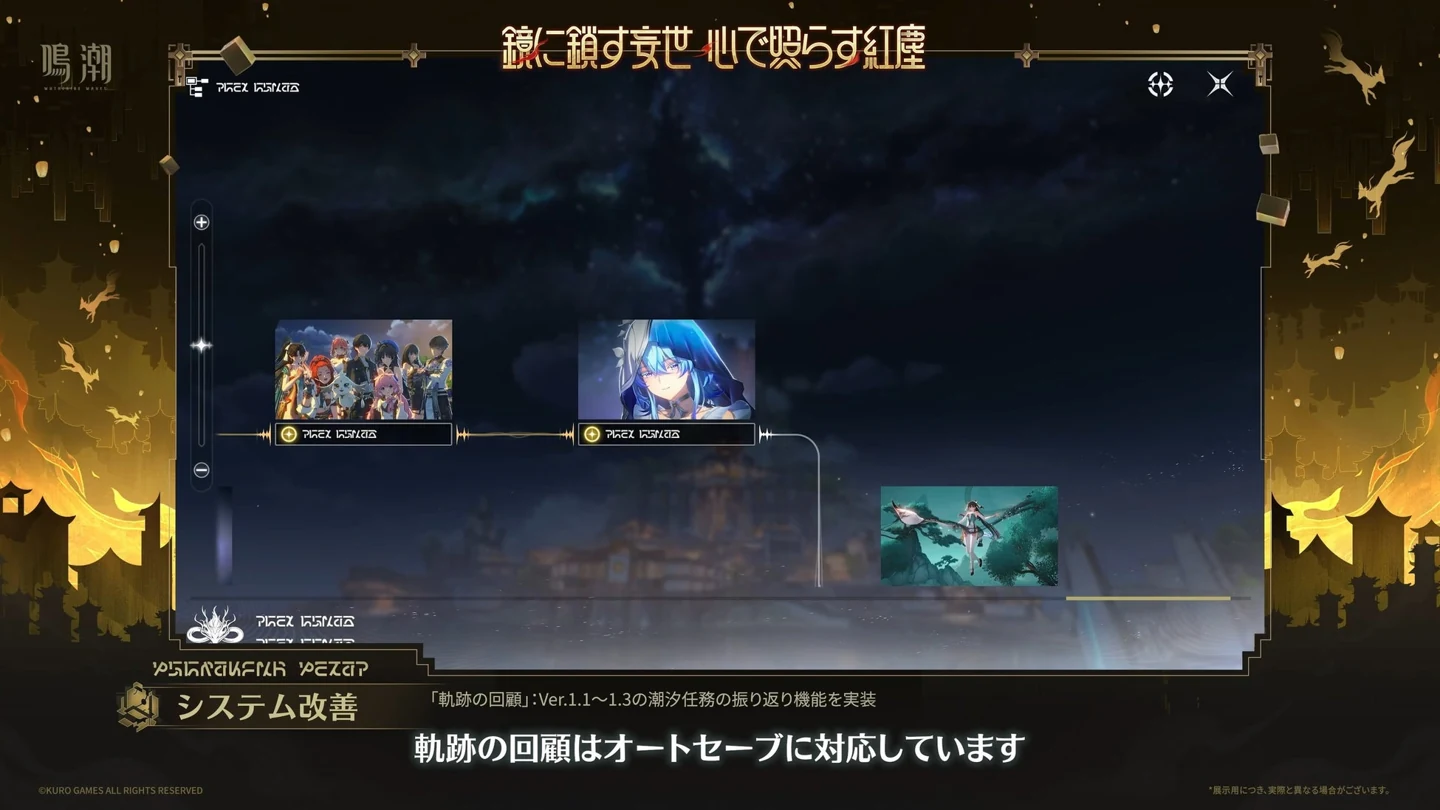
Missed the Moon-Chasing Festival and want to see Xiangli Yao’s story on your current account? Open Quests → Journey Log, find In the Turquoise Moonglow, and select Replay. Version 1.2 has a particularly useful unlock: completing the Version 1.1 main quest unlocks the 1.2 replay. That gives players who joined after the festival a reason to look in the Journey Log even if they never played the original event.
Version 3.7 introduced playable replays for three early main quests. The route through the menu is the same whether you’re coming back for a favorite scene, a missed chapter, or a quest-exclusive trophy. The chapter to select, and the point at which it makes sense to stop, depend on which of those you want.
Which chapter has the scene I remember?
Thaw of Eons (1.1) is the Mt. Firmament chapter. Pick this one if you associate the scene with Jinhsi, Changli, or your journey on the mountain. If you’re here because you want the festival, check whether you have already completed this chapter in normal play. An account that meets that condition can go straight to looking for the festival replay. Playing through the mountain a second time is unnecessary for that unlock.
In the Turquoise Moonglow (1.2) is the festival chapter. It’s easy to spend time looking through current events because you remember the Moon-Chasing Festival as an event. The playable story lives under its chapter title in the Journey Log. Treat an old guide to the festival shop, a limited giveaway, or an event currency as a separate subject. A playable story chapter tells you what you can revisit. It doesn’t establish that past event rewards are available again.
To the Shore's End (1.3) is the early Black Shores story involving the Shorekeeper. Choose this entry if that’s the part you want to revisit. If you remember a character more clearly than the chapter, try identifying the place first. The mountain, the festival and the Black Shores make better landmarks than a character who appears in several different quests.
Where is the actual Replay button?
Open the quest menu, enter Journey Log, and select the supported chapter by name. Look for Replay on that entry. A page of quest dialogue or an old event description may tell you what happened, but the chapter entry is where you start playing again.
For the festival chapter, open Quests → Journey Log, select In the Turquoise Moonglow, then choose Replay.
Why is a chapter missing on my account?
Start with the exact quest title. Version 3.7 added replays of the three named main quests. A companion or side quest released in the same patch can feature the same character and still be a different quest. If you’re hunting for one line of dialogue, identify which quest it came from before committing to a replay.
Next, look at your normal quest progress. For a completed chapter, find its corresponding entry in the Journey Log. For the festival in particular, check that the 1.1 main quest shows as complete. Reaching Mt. Firmament or unlocking a travel point there is a useful memory aid, but neither tells you whether you finished the chapter. If two players have different options, comparing their completed quests is more informative than comparing how long they’ve spent exploring.
If the chapter, account progress and game version all match and the option is still missing, take a screenshot of the selected Journey Log entry and the relevant quest’s completion state. Those two details make a support request much easier to investigate than a screenshot of the main menu alone.
Can I leave a replay and finish it later?
Yes. Replay progress saves automatically when you leave. Return to the Journey Log to continue from the saved point. If you’re halfway to a scene you want to watch tomorrow, leave the replay there. Manual reset is the option for starting the replay over from the beginning.
That choice is particularly useful if you’re taking screenshots. If the scene is still ahead of you, continue from your save. If you’ve gone past it and want to experience the lead-in again, a manual reset lets you start over. Allow time to play through the relevant part of the chapter rather than planning around a jump straight to a particular line.
Which rewards can I bring back?
Some main-quest-exclusive trophies are obtainable during replay. Before you go in for a particular one, check whether it’s already unlocked and read its description. If it asks you to do something during a scene, keep that condition in mind while playing. Finishing the chapter and meeting an individual trophy condition are separate goals.
Items obtained inside Replay Mode stay there. Pick up what you need to progress through the quest, but there’s little value in making a detour to farm materials for your regular inventory. For a trophy and a favorite scene in the same chapter, note both before starting so you can plan a single visit. For a story-only run, you can leave as soon as you’ve seen what you came for and pick up from the saved point another day.